When starting Outlook, you are presented with the following error:
Outlook requires updates before it can start. Click Learn More for update instructions

Current Version: 16.0.4266.1001
Required version: 16.0.4600.1000
To update Outlook, you need to enable Receive updates for other Microsoft products when you update Windows from the Windows Update screen.
- Open Windows Update
- Click
Advanced Optionsat the bottom of the window - Enable the setting
Receive updates for other Microsoft products when you update Windows
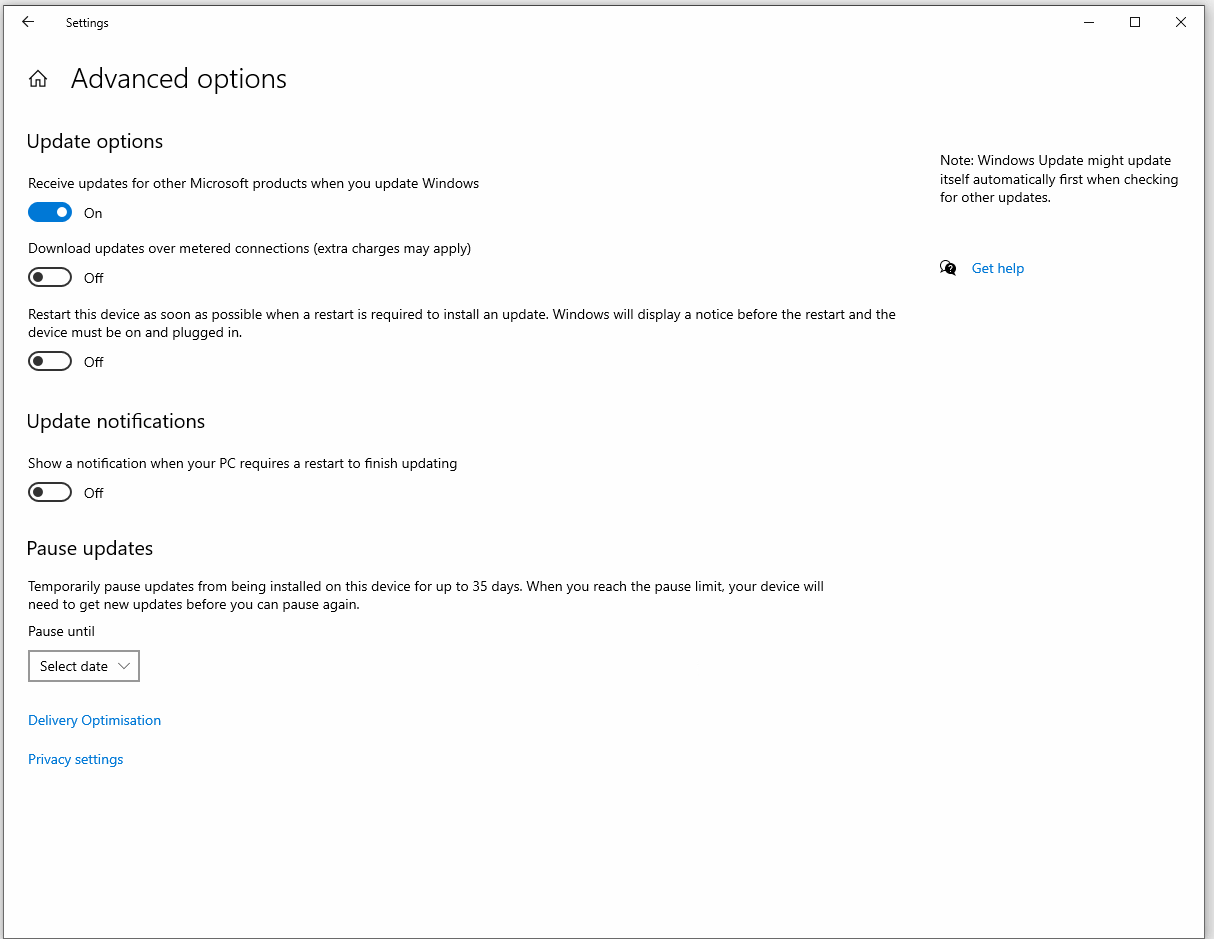
4. Return back to Windows Update.
5. Click Check for updates
Any important missing Microsoft Updates will now download and install.