When opening a PDF file in Foxit Reader you may receive this security warning and editing will be disabled.
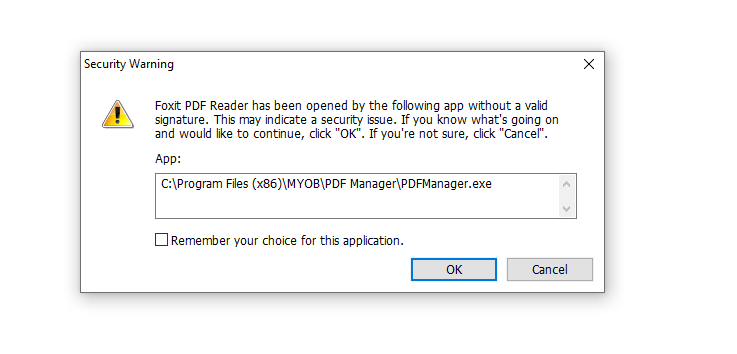
To fix this issue we need to add the application the PDF was downloaded from to the Trusted Apps in Foxit Reader
Foxit Reader settings
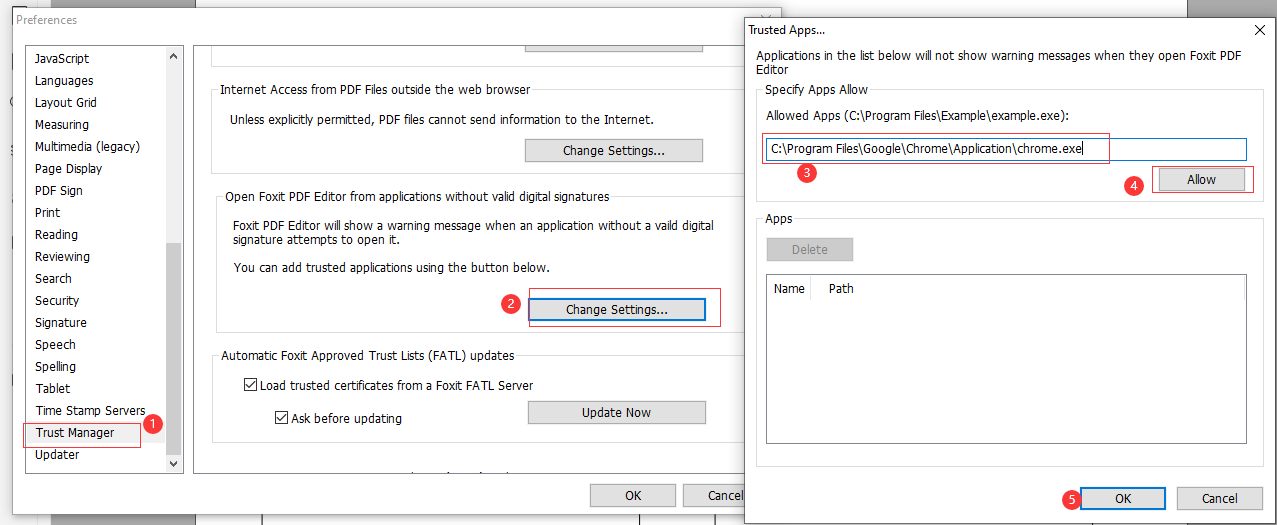
1: Under File tab, click Preferences.
2: In Trust Manager, click on option 'Change settings' which is under Open Foxit PDF Editor from applications without valid digital signatures part to bring up 'Trusted Apps' dialog in which you could individually add your trusted apps there one by one:
In our error above we need to add MYOB PDF Manager which is under C:\Program Files (x86)\MYOB\PDF Manager\PDFManager.exe and we want to add this application as a trusted application in Foxit PDF Editor. I would input C:\Program Files (x86)\MYOB\PDF Manager\PDFManager.exe in the blank field under 'Specify Apps Allow' and click Allow button to add it, click on OK buttons to save the settings and close the Trusted Apps and Preferences dialog boxes.